Introduction
Overview
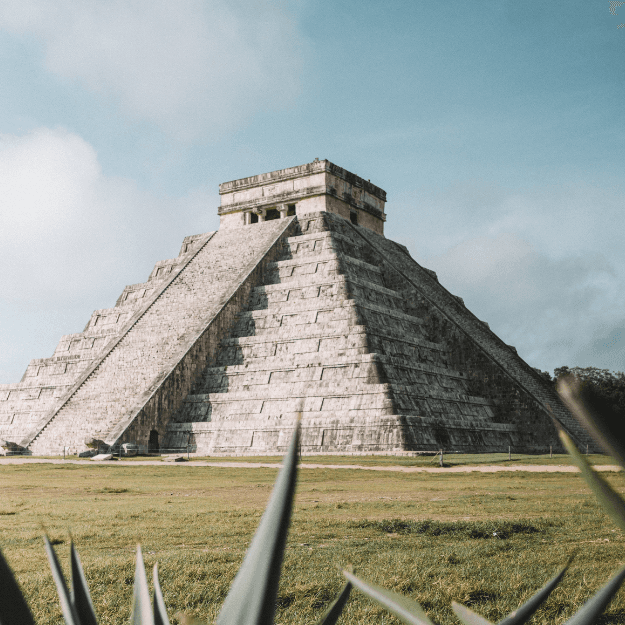
VisitMexico.com is Mexico's official tourism site, managed by The Secretary of Tourism (SECTUR). It promotes travel through destination guides, cultural highlights, events, and trip resources. The website faces usability and accessibility issues, including disorganized navigation, content scattered across PDFs and external links, and inconsistent language support, which hinder its effectiveness for travelers.
Objectives
Provide a detailed analysis of user experience research for VisitMexico.com. It assesses how effectively the website meets travelers' needs and identifies usability issues impacting navigation, satisfaction, trust, and decision-making. The study also seeks to better understand user behaviors, motivations, and challenges through the use of diverse research methods.
Outcome
The research identified key friction points across the user journey and produced a set of evidence-based recommendations to improve the overall website user experience.
This project was part of a graduate course at Quinnipiac University focused on User Experience research methods.
Research Approach
User experience research was conducted on VisitMexico.com to identify potential solutions. Various methods were employed to gather user feedback, and the collected data was thoroughly analyzed. The methods used in this study included:

Personas

Competitive Analysis

User Interview *

User Survey*
Diary Studies *

Card Sorting

Heuristic Evaluation
Usability Testing
*Some of these methods are still proposals and have not been tested with real participants. For more details, please see the final report at the end of this case study.
Background Research
Understanding the landscape, the business and the users
I started by focusing on understanding and identifying preliminary issues on the website while analyzing the business and user requirements.
Methodology
Learn more about the website.
Outline business and user requirements
About the website
Website URL:
Website purpose
Visitmexico is the official online tourism portal promoting travel to Mexico, helping both international and domestic travelers explore destinations, attractions, itineraries, and key tourist information.
Analysis of site functionality and design
Global Navigation
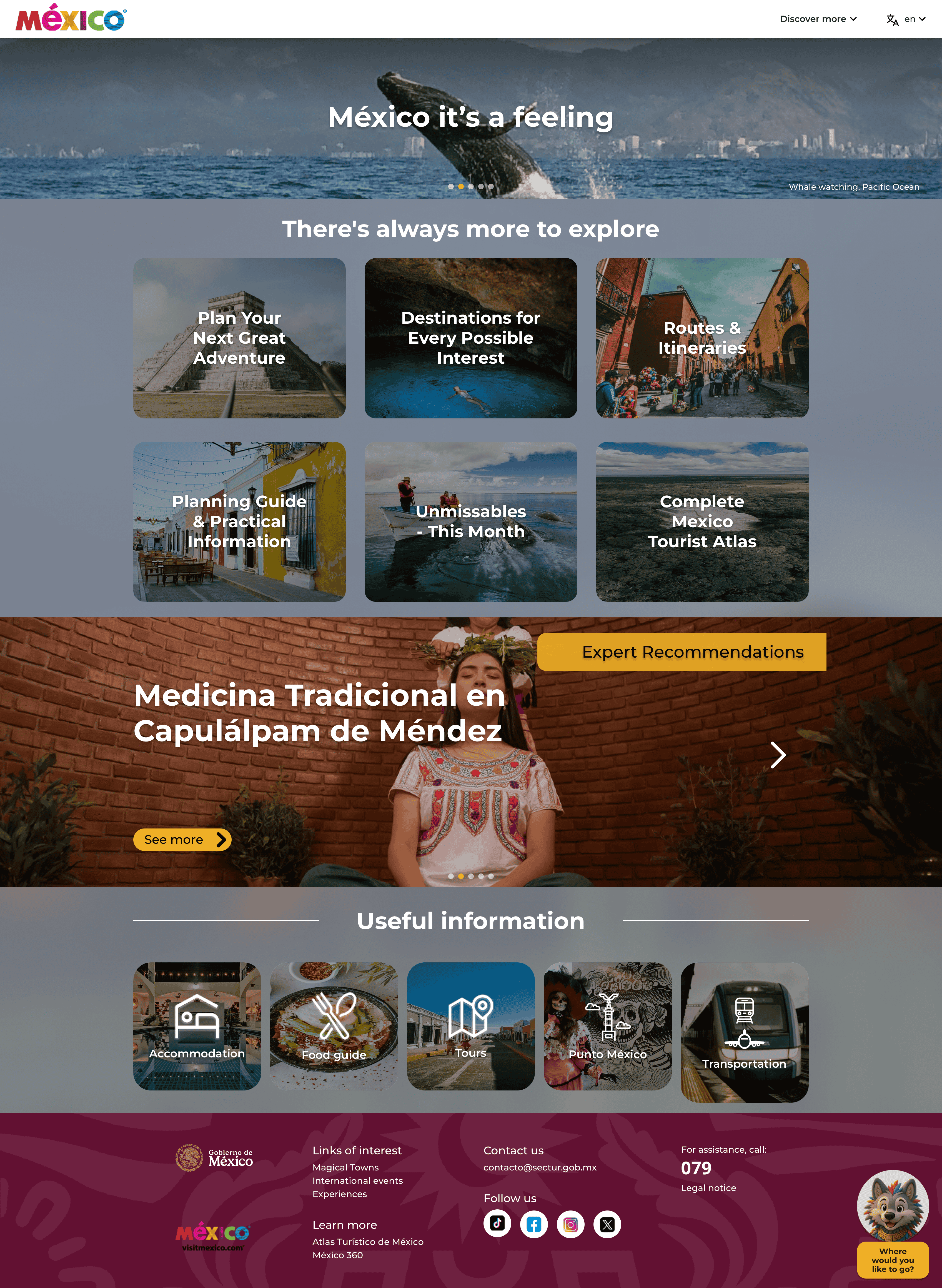
The website lacks traditional navigation, featuring only a logo, a disorganized “Discover more’ dropdown with broken links, and a language selector. Its main menu, positioned above the fold, groups content by topics rather than traveler goals, resulting in a cluttered, unclear user experience.
The language selector
The website only supports Spanish and English, limiting access for speakers of other languages. Many Spanish pages, such as “Routes & Itineraries” and “unmissable - This month,” remain untranslated on the English site, providing a poor experience for non-Spanish speakers.
Content Information
Many sections rely on external PDFs and links without warnings, disrupting user experience. The content is mostly text with weak visuals and poor scannability.
Business and user requirements

The website's goals mostly align with users' needs. SECTUR aims to attract tourists by highlighting cultural richness and unique experiences. Visitors seek updated travel info, but marketing can exaggerate benefits and hide flaws, like safety issues. Users might trust the site too much, causing a gap between business aims and user expectations.

Personas
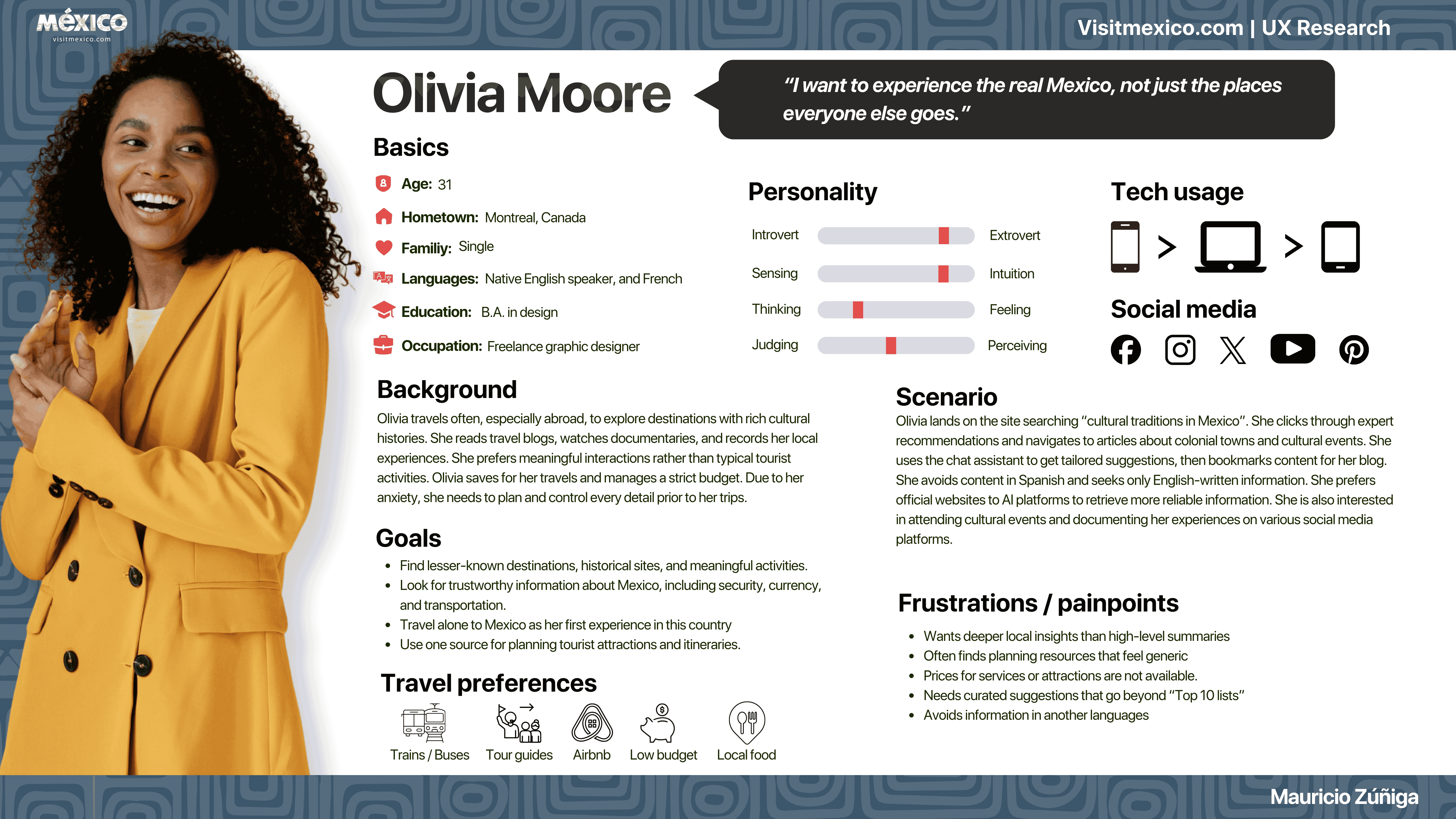
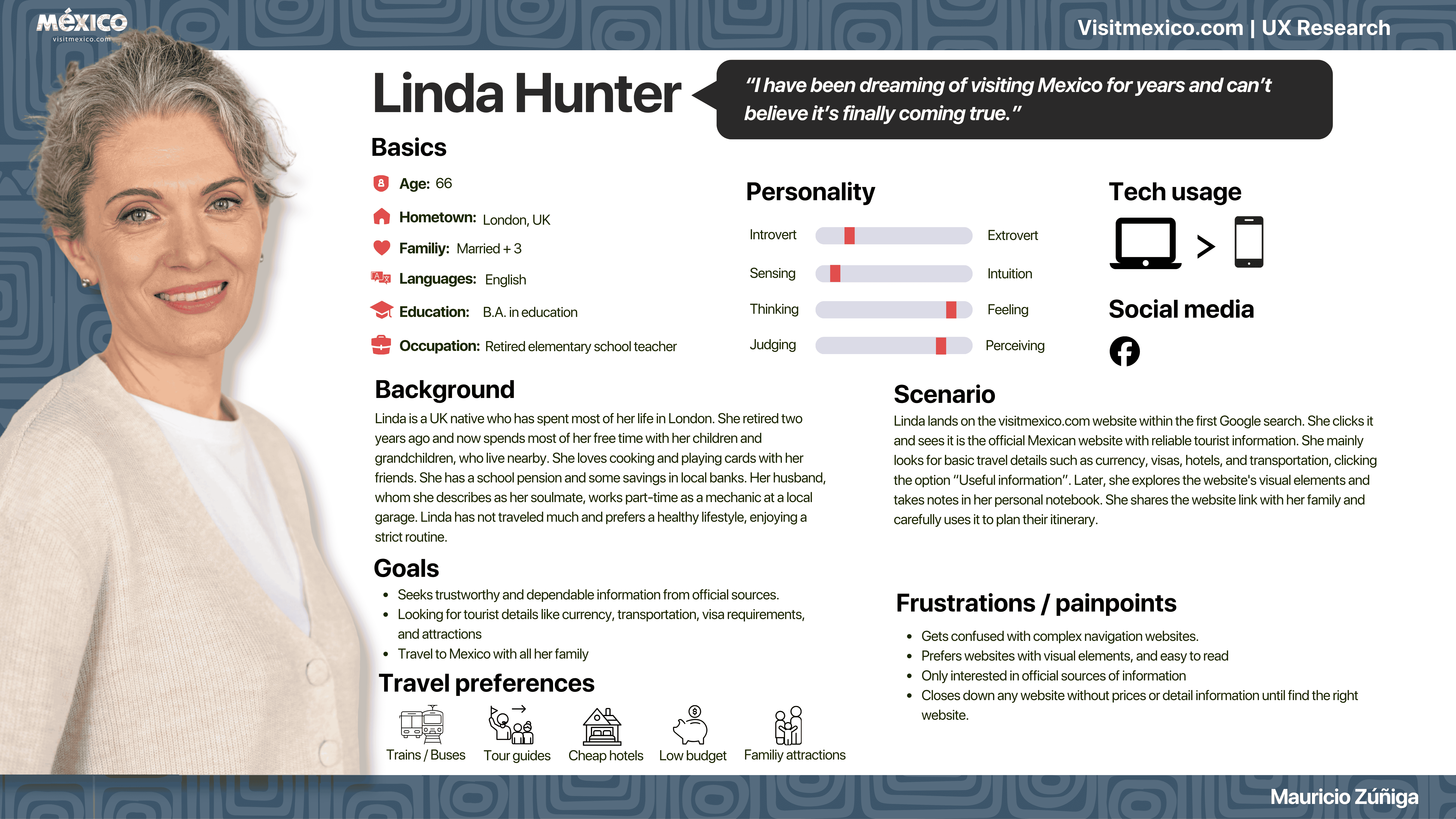
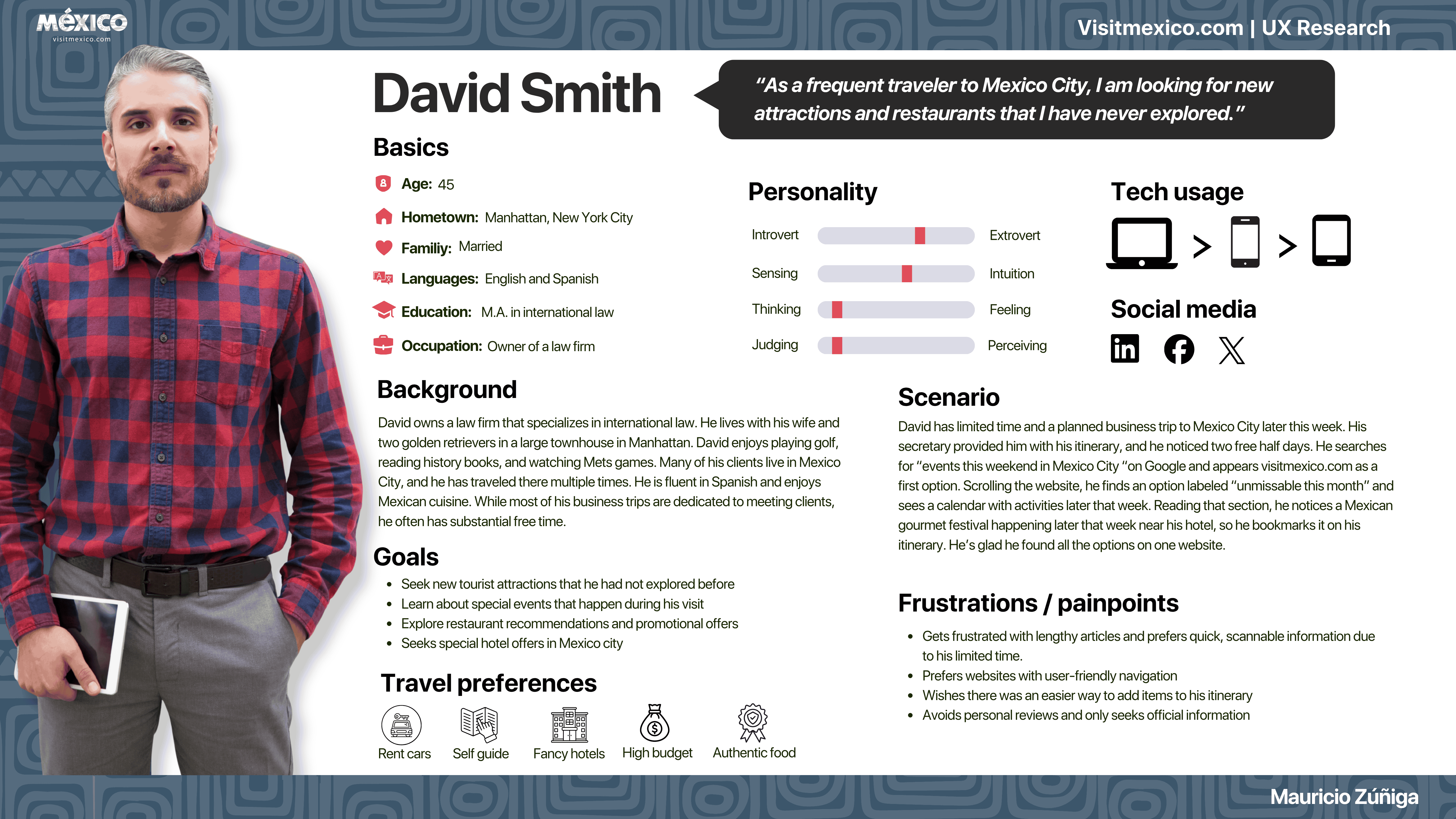
To gain a clearer understanding of user motivations and behaviors, the research developed personas representing various traveler types, such as cultural explorers, business travelers, and retirees planning family trips. These personas revealed common needs, including reliable information, curated recommendations, and easily scannable travel details.

Competitive Analysis
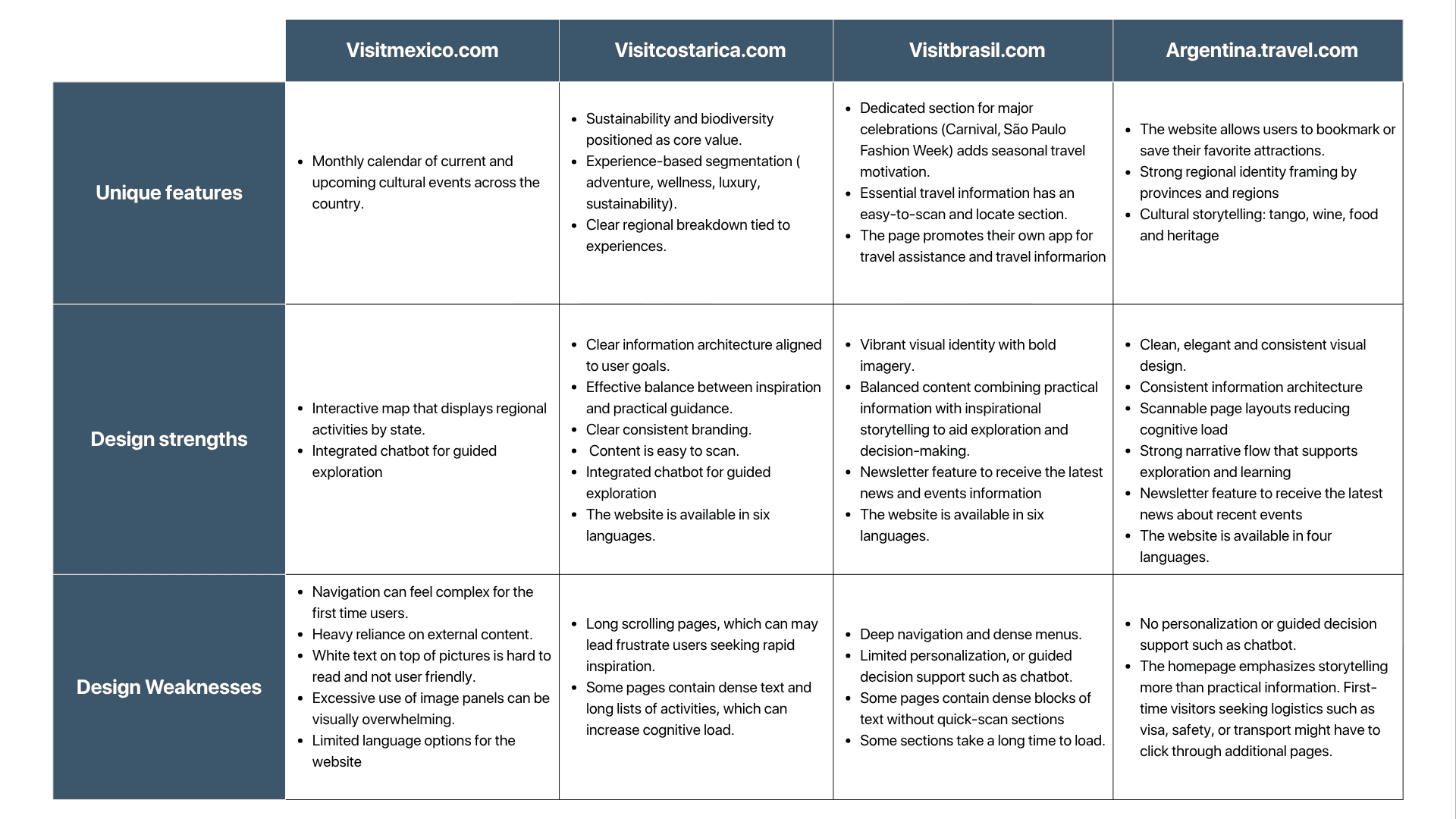
A comparative analysis of regional tourism websites, such as Visit Costa Rica, Visit Brazil, and Argentina Travel, identified industry best practices. Competitors generally offer clearer information, more languages, and better visuals. They also feature helpful tools like bookmarking, newsletters, chatbots, and itinerary planning.
VisitMexico.com provides rich cultural content and an interactive atlas, but its complex navigation, limited language options, and heavy text make it less usable and less competitive.

Card Sorting
Revealing User Mental Models
This study used an open card-sort methodology with three potential users. This approach examined how participants intuitively categorize travel-related content and label the groups they form.
31 cards were assembled from the homepage navigation features and from specific content pages on VisitMexico.com. This card-sorting exercise was conducted using the “Proven by Users” tool.
Methodology
Create a Card Sorting Similarity Matrix
Generate a Card Sorting Dendrogram
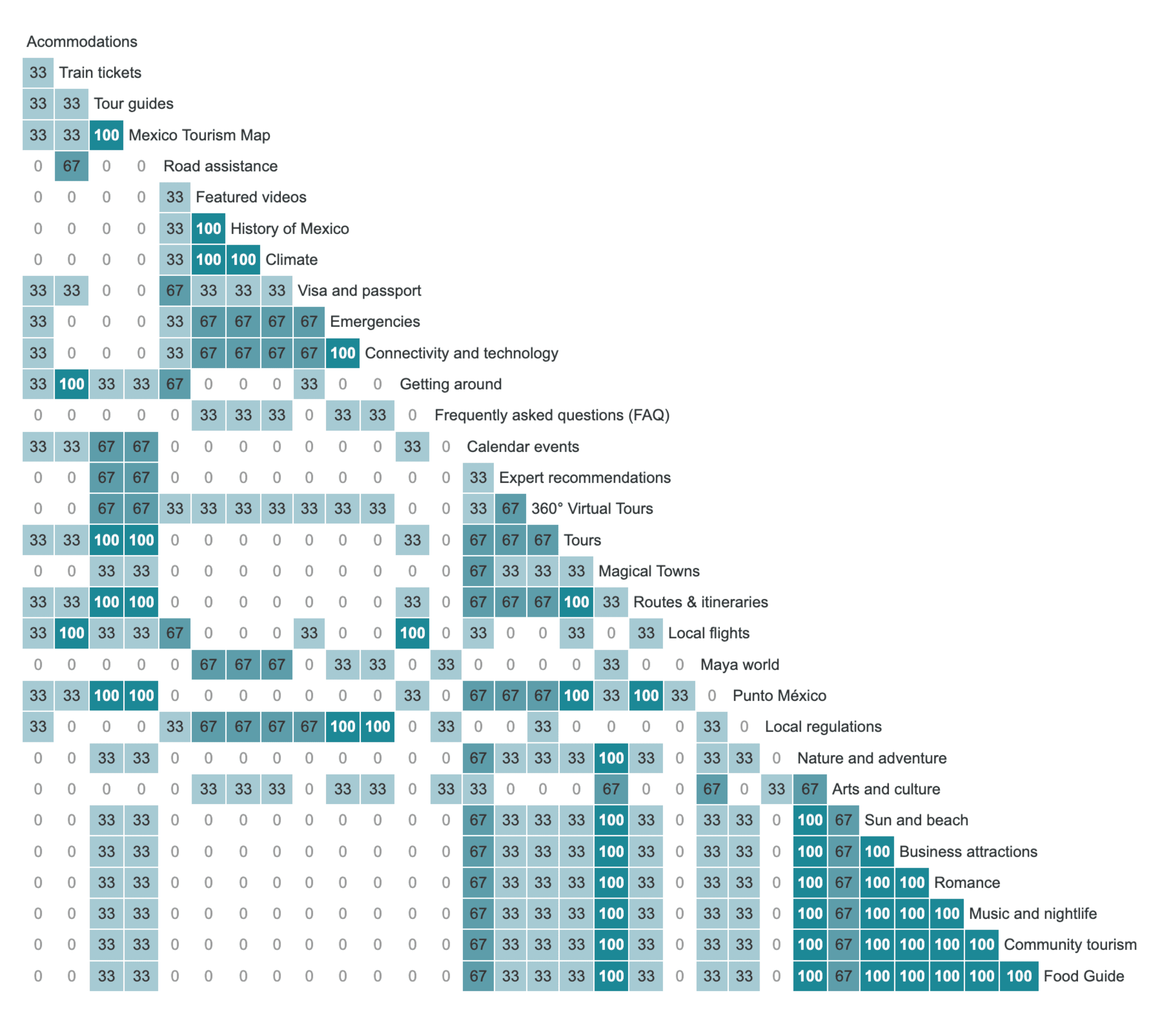
Card sorting Similarity Matrix
This quantitative tool shows how often a card is grouped with another card. This means that a higher numerical value in a cell indicates greater similarity between two cards.
Card Sorting Dendrogram
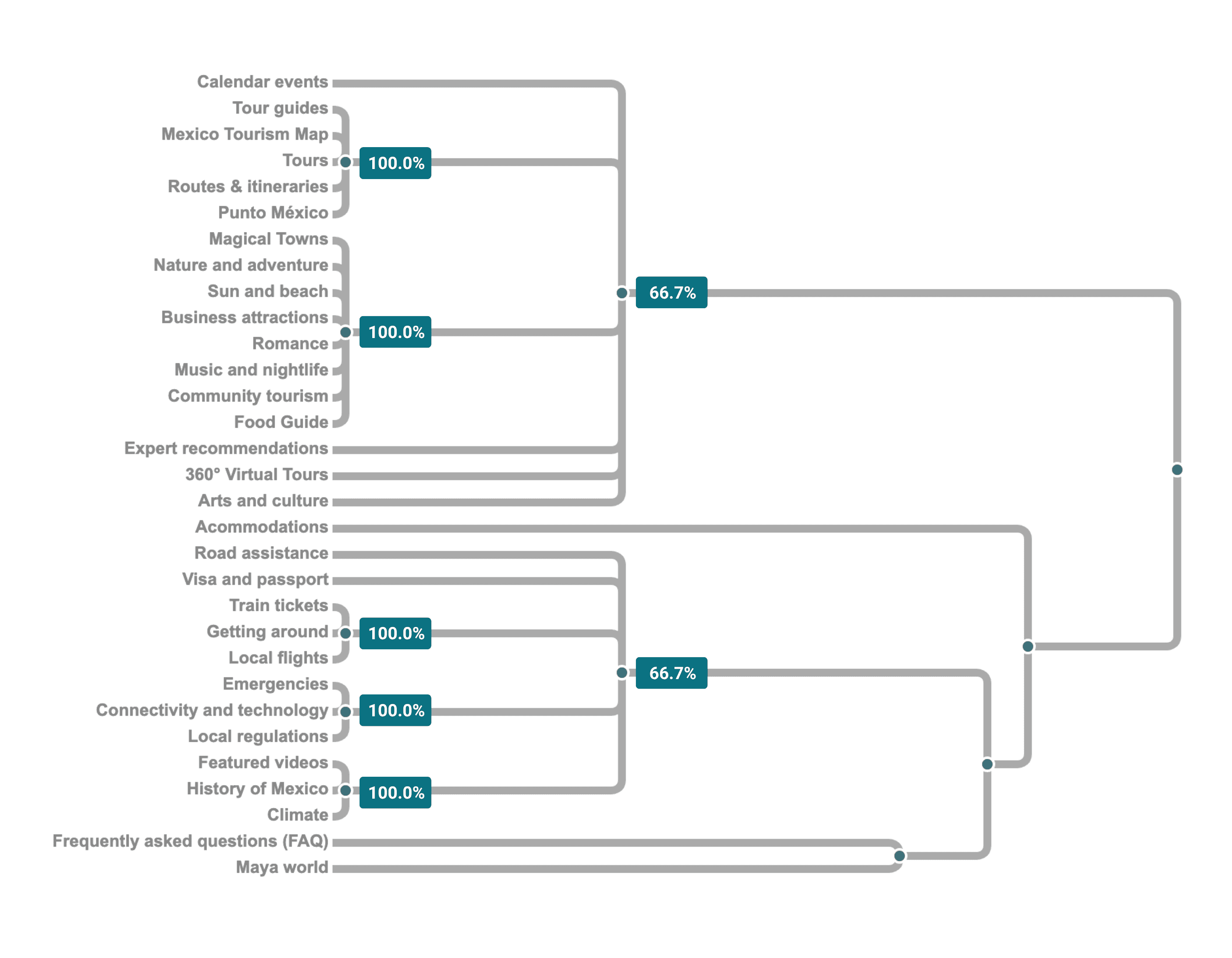
This study employs quantitative analysis to visualize clusters of participants’ cards exhibiting similar qualitative results. By categorizing participants according to shared qualitative codes, the findings are rendered more transparent and accessible. Additionally, this approach facilitates the comprehension of a potential information architecture for the website.
Visit Mexico Card sorting showed users prefer navigation based on travel goals over static categories. Participants grouped content into themes like destinations, activities, trip planning, logistics, and local info, indicating the site's current structure doesn't match users’ mental models.

Heuristic Evaluation
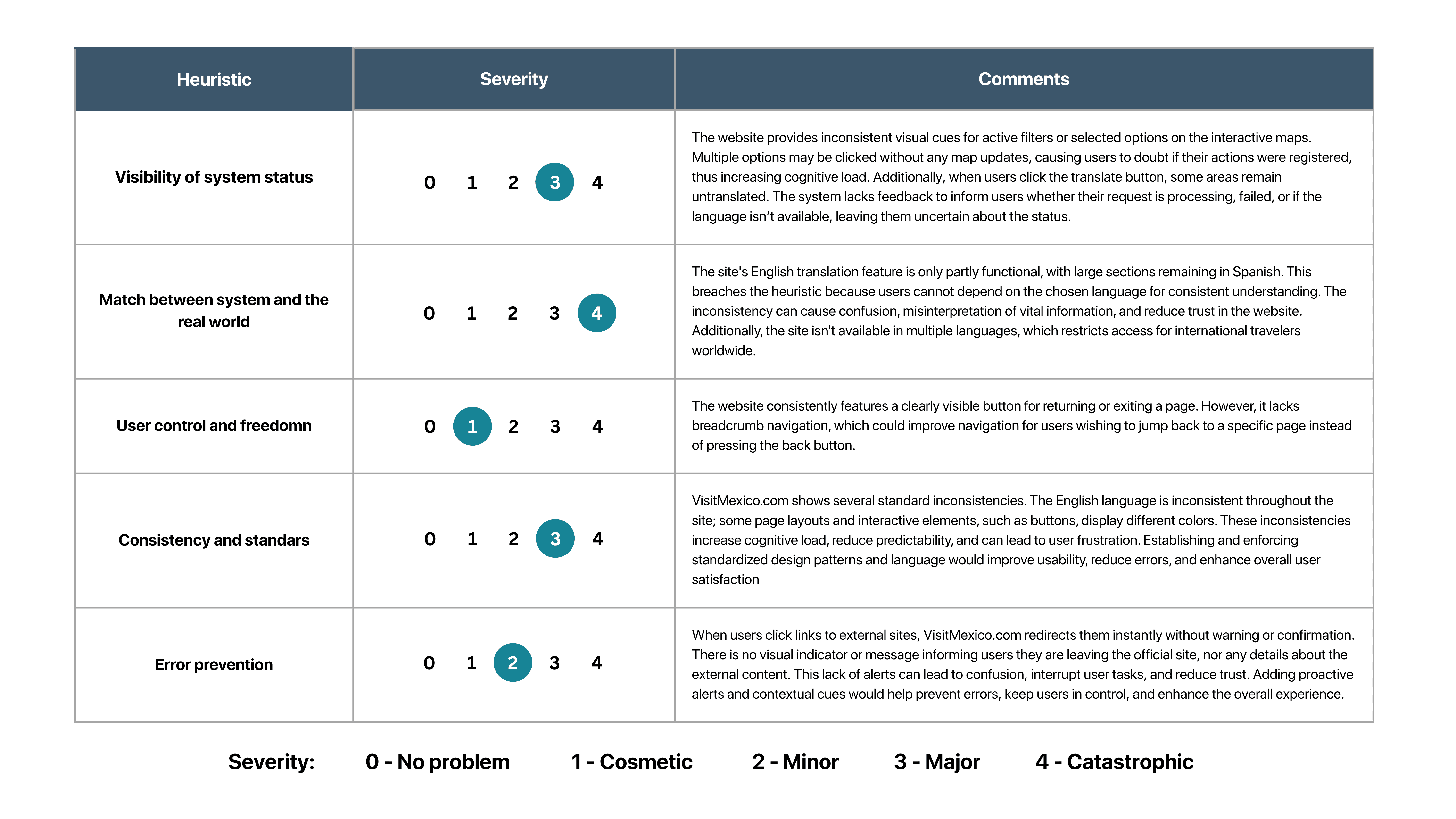
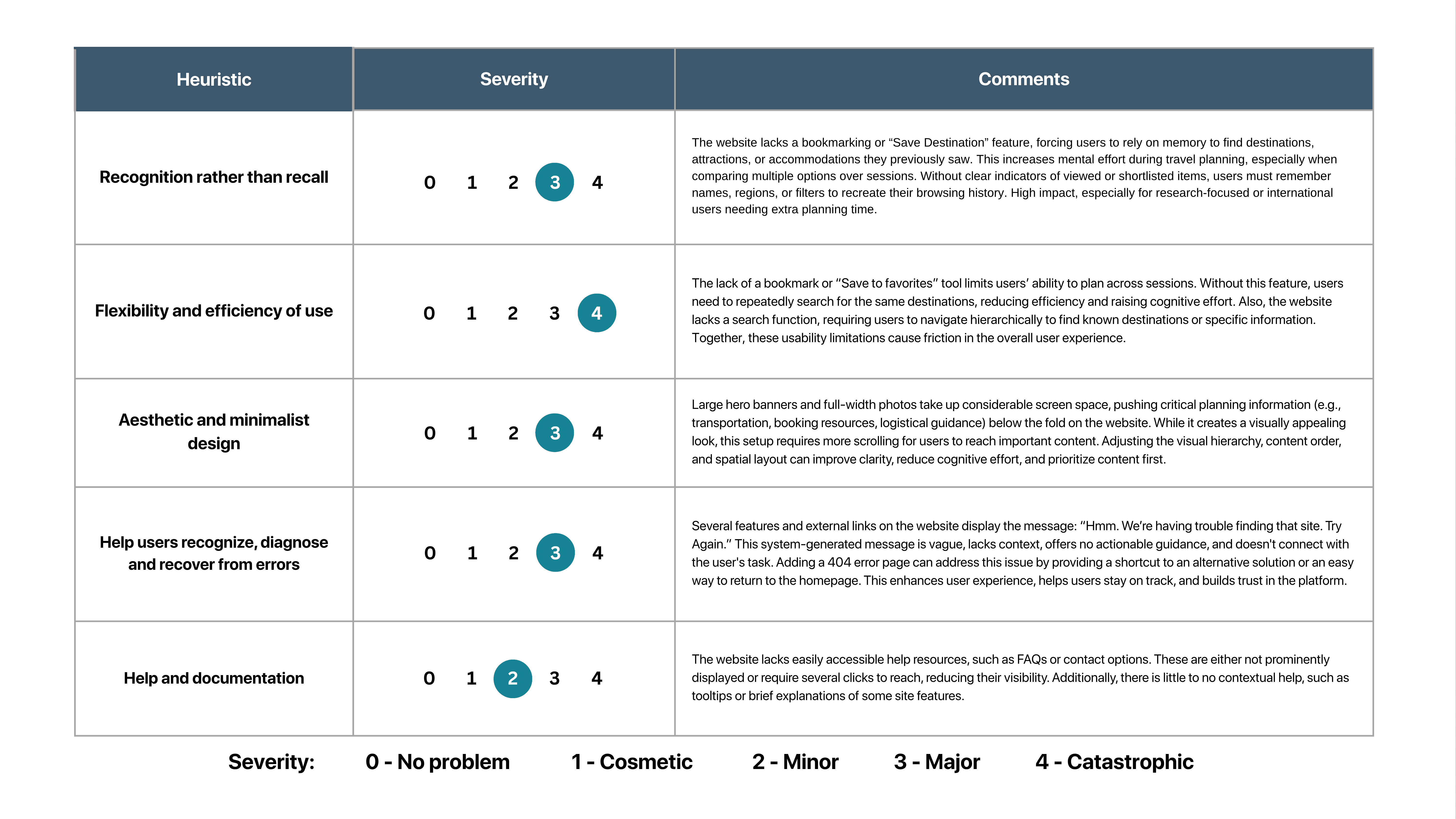
Visitmexico.com was examined using Jakob Nielsen's 10 usability heuristics to identify design issues before user testing. As the sole evaluator, I thoroughly explored the live English website and rated each heuristic's severity on a scale from 0 (no problem) to 4 (catastrophic).
A key advantage of this UX evaluation is that it requires no participants, making it a cost-effective method for early detection of usability issues.

Usability Testing
Testing the website with actual users
Usability sessions were conducted on the current website with potential users. Participants from various backgrounds, including both English- and Spanish-speaking individuals, were recruited across different ages and education levels.
Methodology
Conduct usability testing
Perform data analysis
Gather key insights
Usability testing
Research goals
These goals outline the ideas and outcomes I aim to learn from user testing.
Identify usability barriers to completing tasks
Evaluate the clarity and intuitiveness of the site’s information architecture
Assess how effectively the website supports users in planning trips to Mexico
Research questions
The research questions offer focus and structure to my research study.
Can users efficiently locate key travel information, such as destinations, itineraries, and activities?
Do users find the navigation and search functionality intuitive and helpful?
Are there specific points of confusion, frustration, or unmet expectations during typical travel planning tasks?
Methodology
Moderated remote testing
Location: The participants went through a user testing at their own homes.
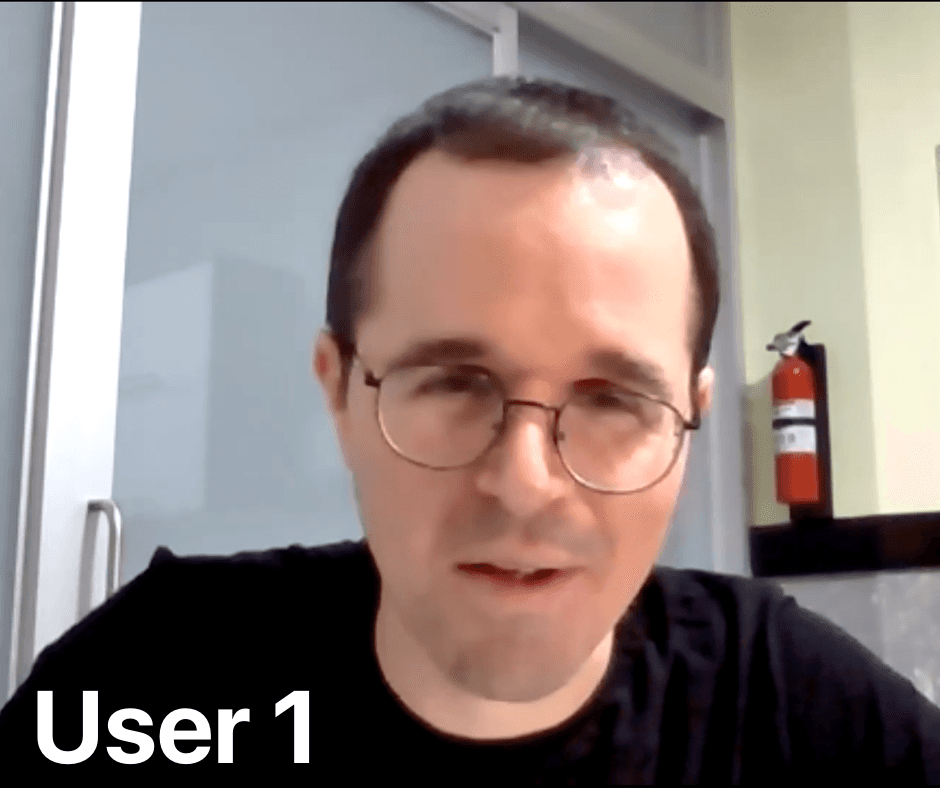
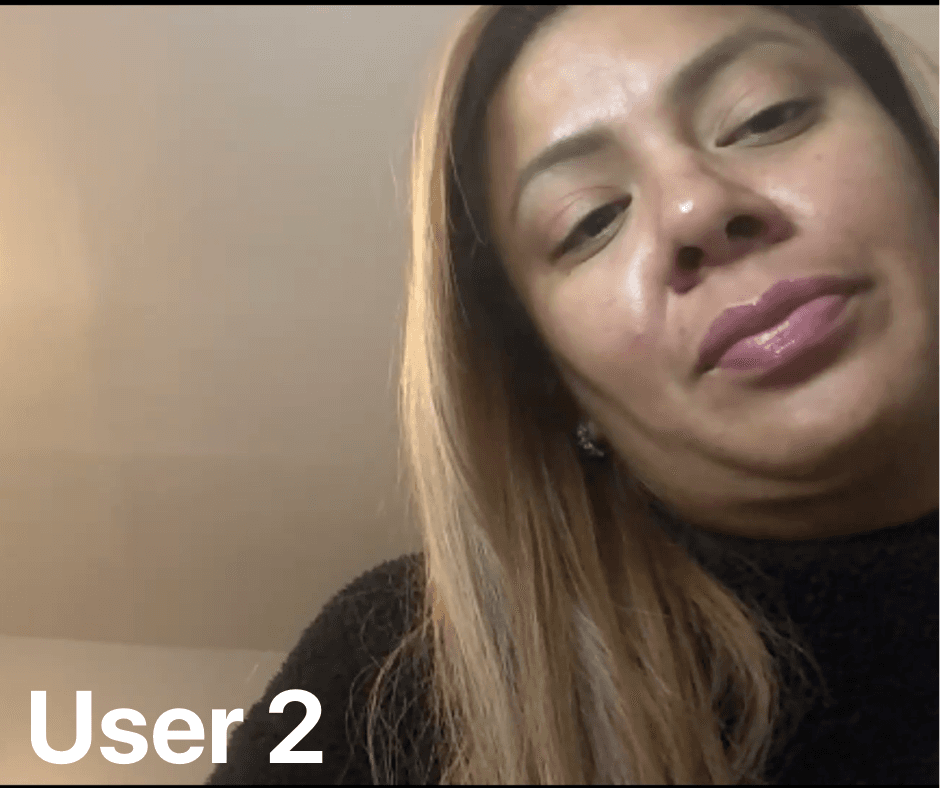
Three participants were recruited from my personal network, all of whom were experienced in online trip planning.
Participants
Prompt tasks:
Task 1:
You’re gathering inspiration for a potential trip to Mexico. Make a list of three places you'd like to visit, considering your interests, such as culture, cuisine, nature, or adventure.
Task 2:
As a first-time visitor to Mexico, you would like to learn more about visas, current exchange rates, and transportation options. Please find these three options.
Task 3:
Let’s assume you're planning a family trip to a beach destination in Mexico. Choose a 7-day itinerary that meets all your needs.
Task 4:
Imagine you are traveling to Mexico in a specific month (e.g., Next month). Find out if there are any festivals, events, or seasonal recommendations happening during that time.
Task 5:
You are currently gathering information for a trip to Mexico. You are especially interested in visiting archaeological sites. Make a list of three places you'd like to visit.
Key Performance indicators (KPIs)
The study combined quantitative KPIs:
Time to complete a given task (seconds)
Conversion rates – the ability to fully complete a given task
Usability Scale (SUS) – the users scale their opinion on various aspects of the product
Qualitative data observations include:
Observations
User behavior
Verbal feedback
Visible frustrations points
Data Analysis
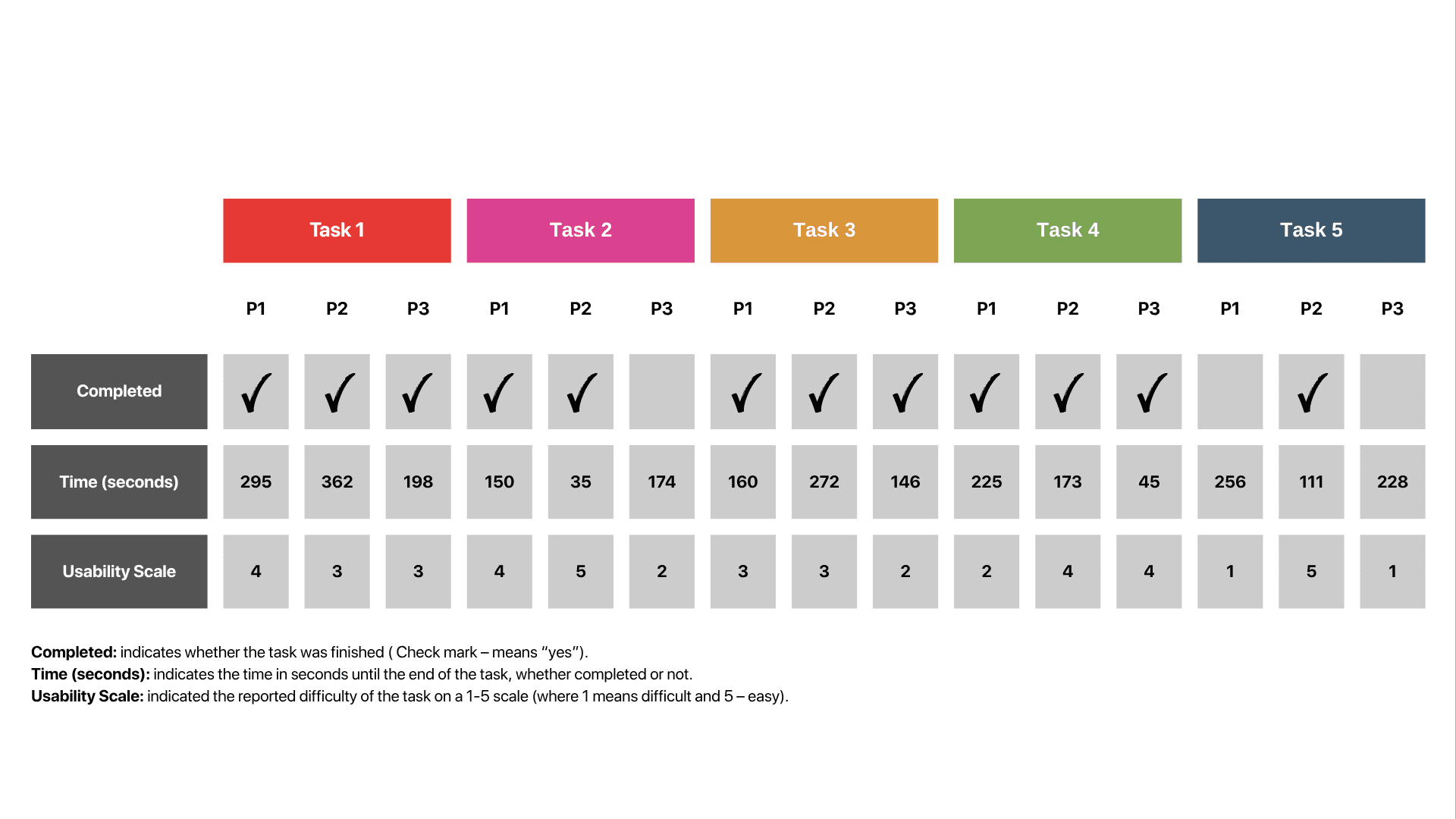
After completing user testing, I analyzed the data. The usability study findings included both objective KPIs and subjective data. The main KPIs are summarized in the following table:
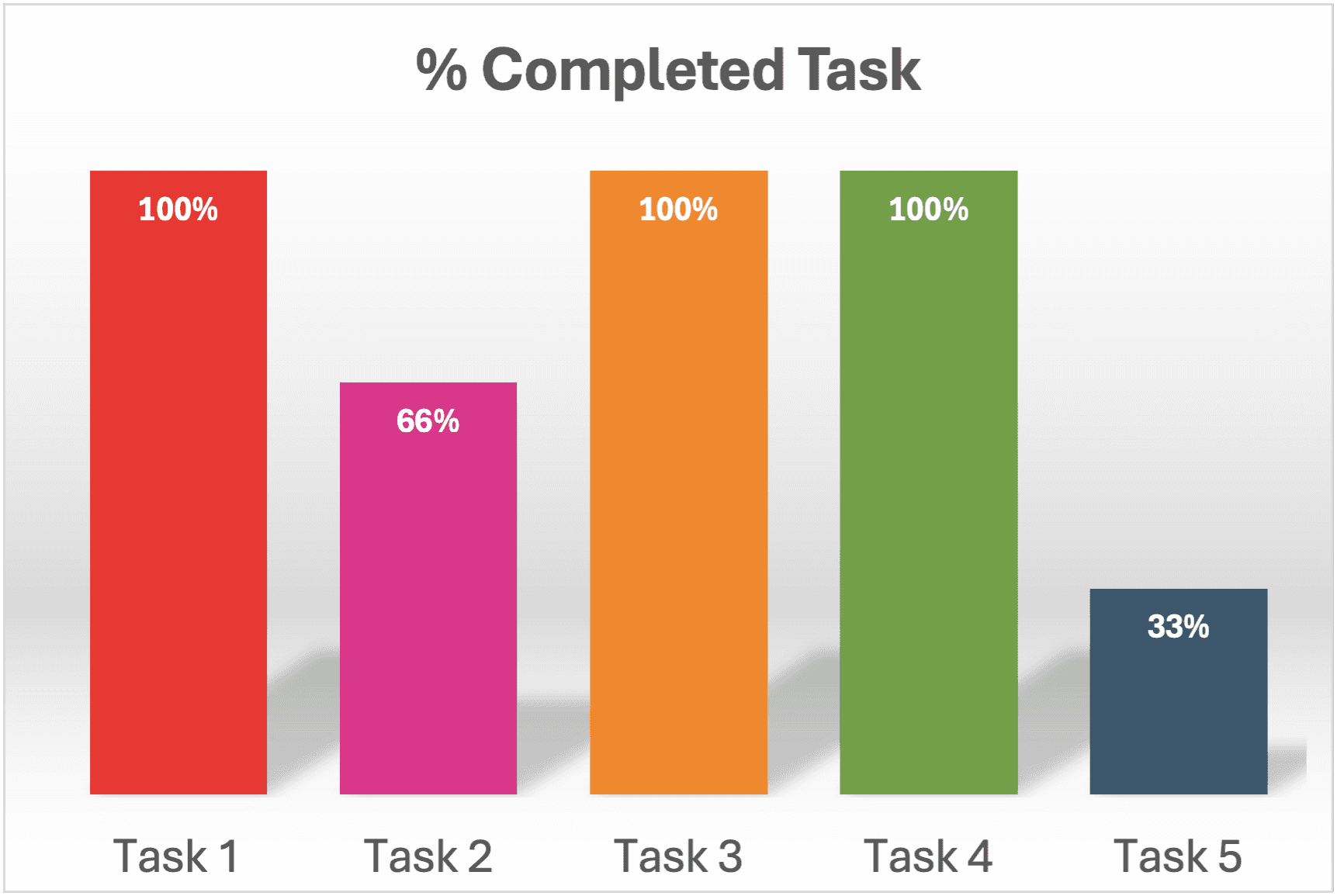
KPI: Conversion rates
Not all three users completed all five tasks, as shown in this graphic. Tasks #2 and #5 highlighted usability issues that prevented users from reaching the goal.
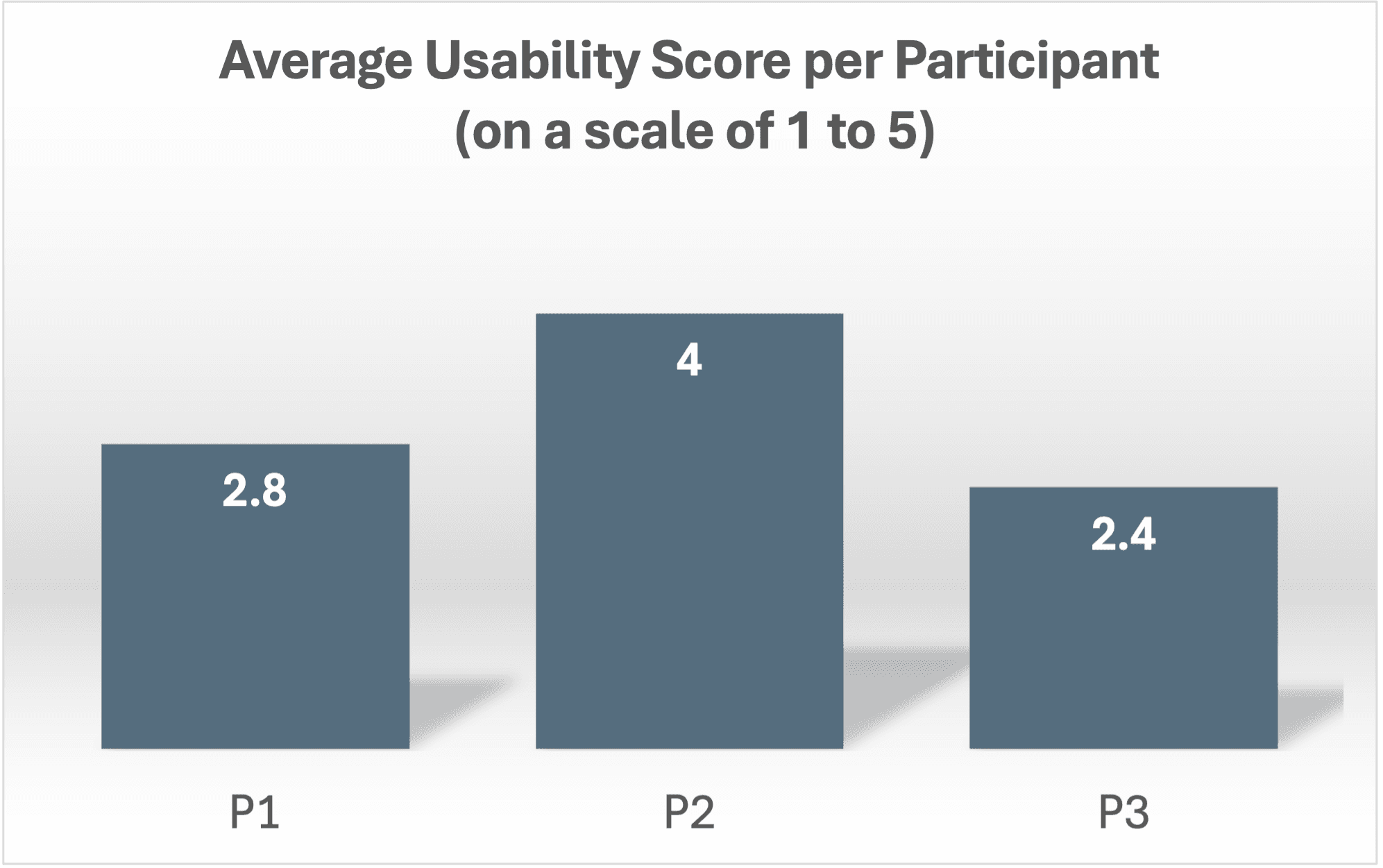
KPI: Average Usability Score per participant
An interesting insight from the data was that participant two (a native Spanish speaker) scored the highest on average for usability across all tasks. Because the website was primarily in Spanish, she felt more confident during the usability study than the other two participants, who only spoke English.
For more details, please see the final report at the end of this case study.
Key insights
Language inconsistency is the most critical barrier
Key sections, such as itineraries, the events calendar, and the Tourist Atlas, remained in Spanish even when the user selected the English version. Non-Spanish speakers struggled to complete the tasks or appeared frustrated, while native Spanish speakers easily completed them.
Filtering and search functionalities are insufficient
Filters were limited, difficult to see, and provided inaccurate results. Users interested in sports, beaches, and archaeological sites couldn't refine their searches effectively, leading to manual browsing through pages.
Navigation labels don't match how users think
Titles like "Plan Your Next Adventure" and "Unmissable This Month" caused confusion and led to aimless scrolling. Users more often preferred straightforward, action-focused labels such as "Where to Go" and "Calendar Events."
No way to save or revisit destinations
The lack of a favorites or bookmarking feature forced users to rely on memory during multi-step planning. This increased cognitive load and reduced the likelihood that users would return to the site.
Conclusion and Recommendations
The UX research for VisitMexico.com highlights key opportunities to enhance the site as a travel-planning resource. Using methods such as personas, competitive analysis, card sorting, and usability testing, clear patterns emerged regarding user challenges. While the site offers rich cultural content, its information architecture, inconsistent language options, and dense content create friction, limit usability, and engagement.
Aligning the site more with users’ mental models and travel habits is crucial. Simplifying navigation, improving content scannability, expanding language accessibility, and adding practical travel tools may improve the user experience. Reducing reliance on external sources and consolidating key travel info within the platform could also make VisitMexico.com more comprehensive and trustworthy.
This study highlights the importance of user-centered design. Implementing these suggestions may help VisitMexico.com to better inspire travelers, assist trip planning, and strengthen Mexico’s online tourism presence.