
7 min
"Design is the beauty of turning constraints into advantages."
“Effective storytelling”, Brent Dykes
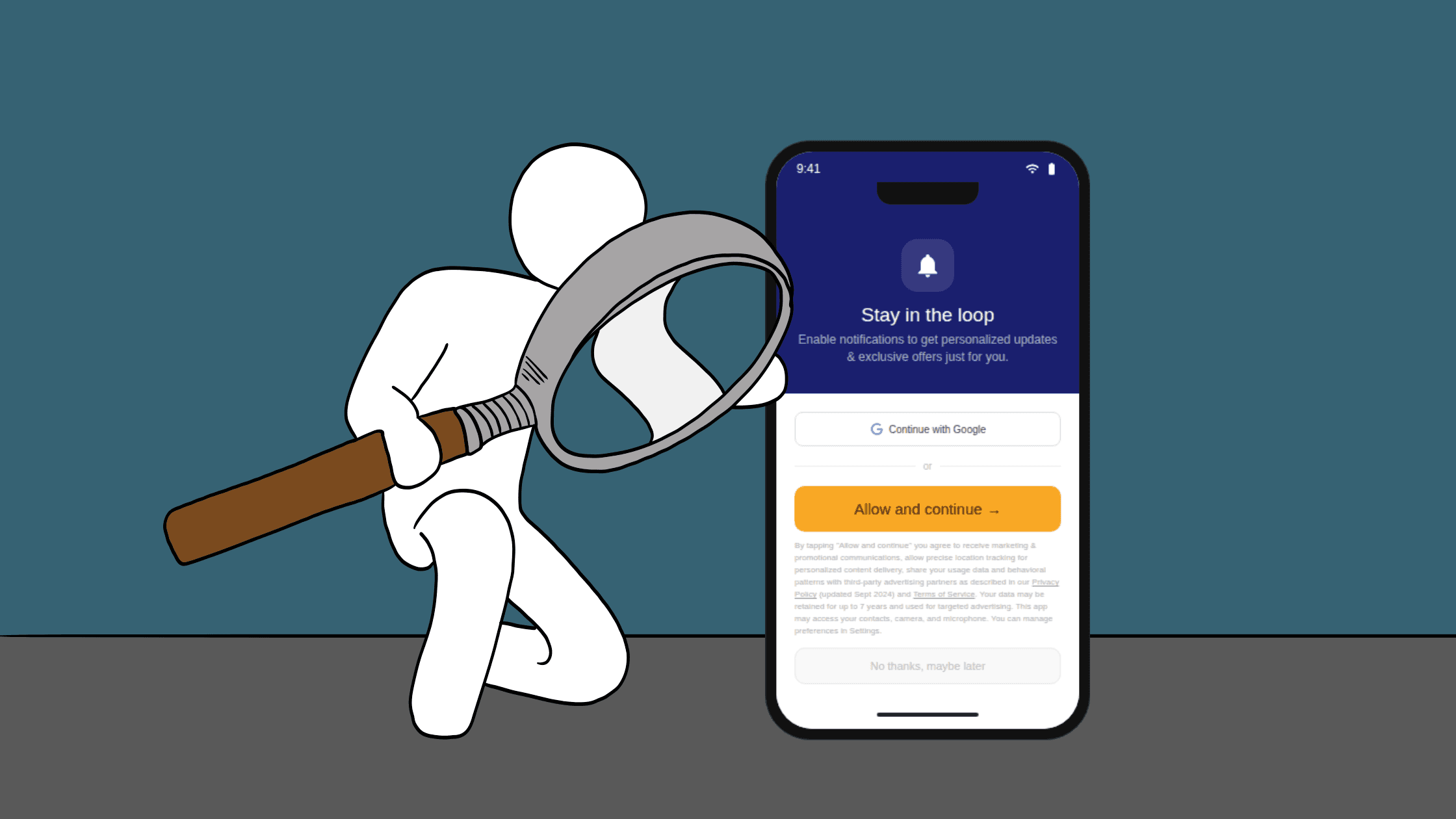
Mandatory information is everywhere in digital experiences. It’s the nutrition-style facts, the warnings, the disclosures, the permissions language, and the fine print that legal or policy teams insist must appear. As UX/UI designers and developers, we often inherit it late in the process, paste it into the final prototype, shrink it as much as possible, lower the contrast, and hope nobody notices. But if nobody notices, the product is less trustworthy, and users are more likely to make uninformed choices.
The problem isn’t that the information exists. The problem is how it’s treated. When required data is shoved into the margins, it reads like an interruption rather than part of the product. And yet, the best products don’t feel compliant; they feel clear. The goal isn’t to “hide” the boring parts or trick people into skipping them. The goal is to incorporate them so naturally and elegantly that users actually understand what matters, at the moment it matters, without feeling punished for being responsible. In this blog, I will dive deeper into this not-so-boring topic we designers face every day. I aim to provide strategies based on my experience for handling this data with greater gentleness and care.
“Boring” data that needs to be incorporated
You see this pattern across industries, even if the labels change. In food and consumer packaged goods, it’s the nutritional panel, sugar and sodium callouts, ingredient lists, and allergen warnings. In children’s experiences and entertainment, it’s screen-time reminders, autoplay limitations, age-appropriate content indicators, and messaging about addictive design patterns. In advertising, it’s sponsored labels, “results may vary” disclaimers, eligibility conditions, or “limited-time” constraints that clarify what’s truly being offered.
I have previously studied the art of cereal box visual storytelling. There, nutritional data such as added sugar and fiber content are often presented in high-contrast colors, as if they were something to be proud of. Often, a touch of humor and motion techniques are employed to hide this data in a jungle of colors and cartoons. Click on the button below to read more about cereal box storytelling.
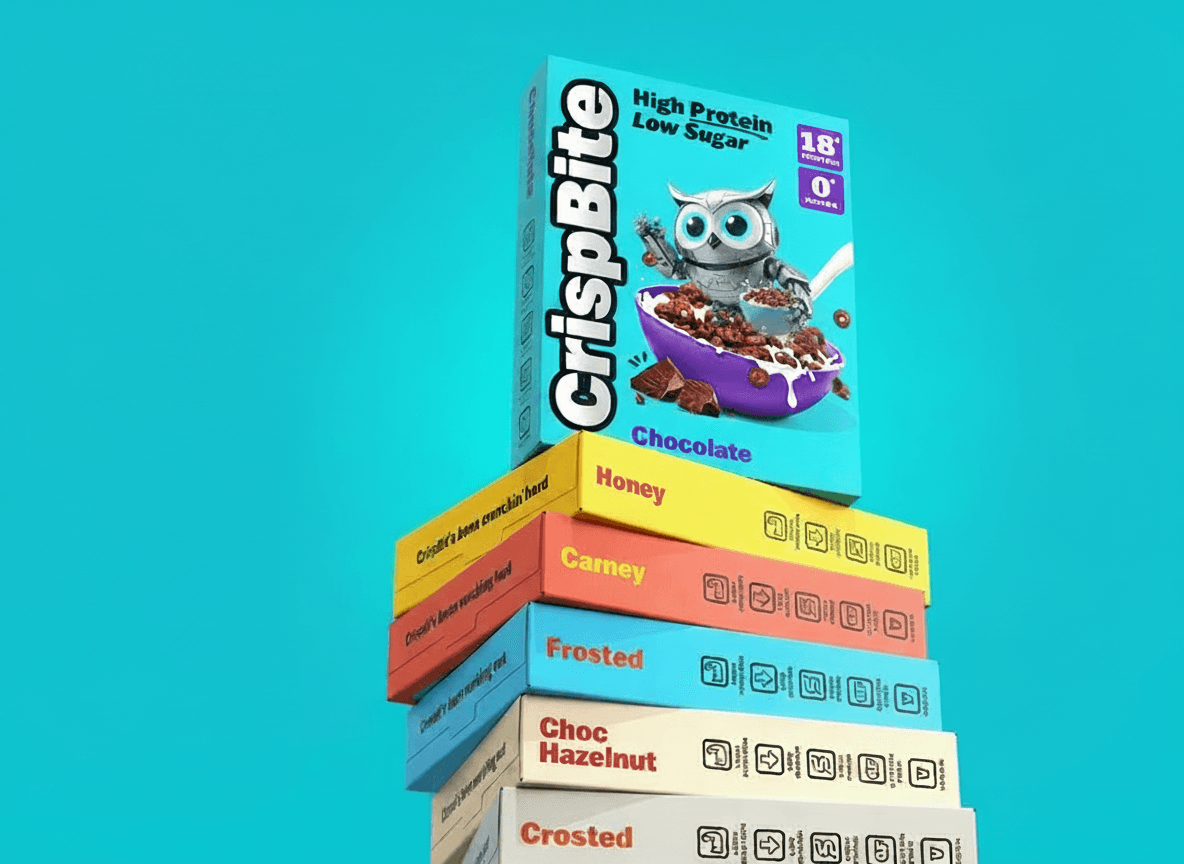
Cereal box Storytelling. Image created by the author
In digital products more broadly, the modern equivalent of a nutrition label is often privacy and data-use information: cookie notices, tracking disclosures, permission rationales for camera and location, retention statements, and “why you’re seeing this” explanations for recommendations and ads. Financial and health-adjacent products add their own layer of required language: risk disclosures, ranges instead of guarantees, and reminders that information is not professional advice. Even accessibility statements and known limitations can fall into this “must include, often ignored” bucket.
All of these share the same challenge: they’re important, they’re often mandatory, and they rarely arrive in a format that’s friendly to humans.
Are those regulatory policies widely adopted in the digital world?
While we, as designers and developers, are often faced with mandatory regulations, we may question the science behind them and whether they are actually enforced in the online jungle.
The short answer is – not always.
One interesting study by Krnel et al., published in 2023 in the Journal of Epidemiology and Global Health, assessed the adoption of regulations governing online, digital, and internet-mediated alcohol marketing. They have conducted a systematic search through three peer-reviewed journal databases. Their research indicates that children and adolescents are frequently exposed to alcohol ads on social media and websites. There have been reports of violations within self-regulatory practices and the emergence of more creative ‘gray-area’ advertising methods. Furthermore, their study highlights the absence of robust statutory laws governing digital alcohol advertising, with continued reliance on voluntary industry self-regulation.
The bottom line is that those regulatory restrictions are not fully enforced on social media, websites, and image/video sharing platforms. When we, as designers and developers, are torn between our loyalty to our clients and our moral values, incorporating regulatory data becomes more challenging.
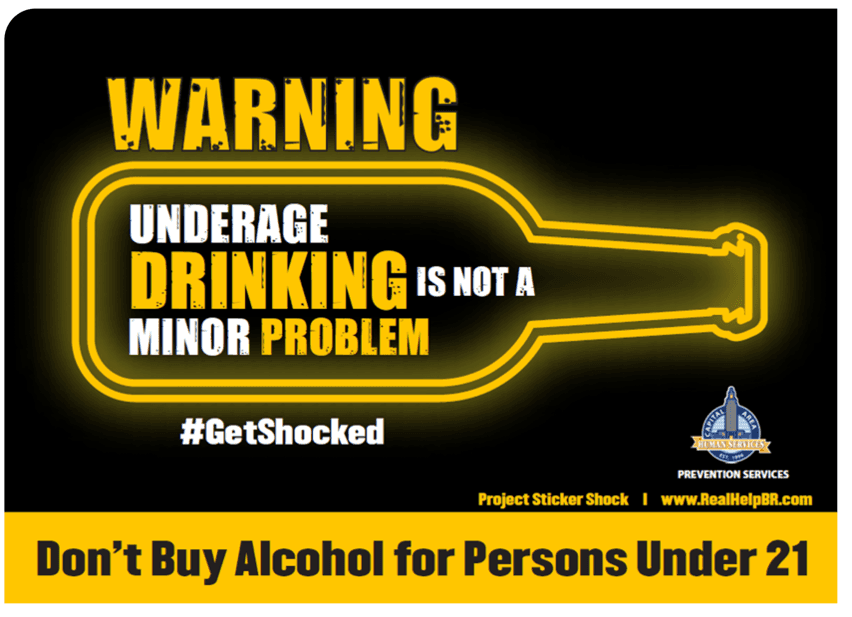
Sticker Shock Campaign. Image taken from Capital Area Human Services.
Strategies to incorporate mandatory data
The most powerful shift you can make is to stop thinking about required data as a separate layer you bolt on at the end. Treat it as product content that deserves the same design attention as your pricing, your onboarding, and your core features. When you do that, a few strategies repeatedly prove effective.
Start with timing. Users don’t ignore mandatory information because they’re careless; they ignore it because it’s frequently shown at the wrong moment. A disclosure that affects a decision should appear where the decision happens, not buried in settings or tucked into a generic “terms” link. If a kid-focused app includes autoplay or infinite scroll, the screen-time and habit-forming warnings belong in onboarding and in the moment those features are enabled. If a product includes “high sugar” or “high sodium” messaging, that information should be visible when the user is comparing options or about to commit, not after the fact. Great User Experience (UX) is often less about where something sits on the page and more about when it appears in the user’s mental timeline.
Once timing is right, the next lever is layering. Most “boring” data fails because it arrives as a wall of text. The cure isn’t hiding it behind a link; it’s progressive disclosure. In practice, this means you design a clear, plain-language summary that captures what matters in one or two lines, and then you provide a smooth path to the full details for users who want them. The summary serves comprehension; the expanded layer serves completeness. The experience becomes both readable and compliant, rather than forcing you to choose one.
Design language matters too. If your required information is tiny, low-contrast, cramped, or visually disconnected, you’re teaching users that it is disposable. A “sexier” approach is simply to give it real typographic dignity. Use the same grid, spacing, and hierarchy you’d use for core content. Give the section a clear title. Let the line-height breathe. If it’s important, it should look important. This isn’t about making warnings loud or alarmist; it’s about making them legible and intentional. Users trust what looks cared for.
Also, try to avoid blurry, small text that no one can read. Take a look at the sports gambling digital advertisement below, featuring former New Orleans Saints quarterback Drew Brees. Can you actually read the warning at the bottom? Hiding information is not an effective way to incorporate the regulatory data.

Former New Orleans Saints quarterback Drew Brees appears in a commercial for PointsBet. Screenshot by NPR
Clarity in writing is another underrated design tool. Legal language may be required, but you can often pair it with a human translation that preserves meaning while improving comprehension. Think of it as the product’s “plain-language layer.” The key is not to paraphrase away the risk or soften the truth, but to explain it in a way that matches how people read on screens. When you do this well, users don’t feel like the product is speaking out of both sides of its mouth; they feel like it respects them enough to explain.
Structure can make “boring” data feel modern. One reason nutrition labels work is that they are designed for scanning. You can borrow that idea for digital products by creating consistent “facts panels” for recurring disclosures. When you present information as a compact, repeatable pattern, people learn to read it. Over time, it stops feeling like fine print and starts feeling like a useful feature. The best part is that structured formats tend to reduce misinterpretation by constraining information into predictable fields rather than sprawling paragraphs.
Usefulness is the fastest path to engagement, so consider designing required data to support comparison. People will tolerate detail when it helps them choose. If you’re designing subscription plans, compare not only price and features but also relevant conditions such as fees, renewals, limits, or privacy-related differences between tiers. If you’re designing food-related or wellness experiences, show the nutritional or health-related implications in a way that supports decision-making rather than moralizing. Once mandatory information becomes decision-supportive, it becomes inherently more interesting.
Interaction and motion can help, but only when they serve comprehension. Microinteractions can guide attention, reveal detail in context, or break complexity into steps, especially for permission flows, safety warnings, or settings that have real consequences. The line you should not cross is using interaction to minimize, distract, or rush. If the animation makes the disclosure easier to skip, you’ve created a dark pattern. If it makes the disclosure easier to understand, you’ve created good UX.
Context is what transforms “Why are you telling me this?” into “Thanks for explaining.” A short “why this matters” sentence can dramatically reduce annoyance, especially for privacy permissions and safety notices. People are often willing to grant access or accept trade-offs when they understand the rationale and the boundaries. If you can clearly say what you collect, why you need it, and what still works if they decline, you turn a frustrating moment into one that builds trust.
Accessibility is non-negotiable, and it’s where many “beautiful” disclosure designs quietly fail. If your solution depends on faint text, color-only indicators, hover tooltips that don’t exist on mobile, or collapsible sections that are hard to reach by keyboard and screen readers, you’ve made the most important information the least accessible. Required data should be the easiest content to read, not the hardest. A genuinely “premium” product is one where warnings and facts are as thoughtfully accessible as the hero headline.
Finally, be mindful of tone. Brand voice can make experiences warmer, but certain required data categories, such as child safety, addiction, health risks, and financial risk, should remain calm and direct. The most trustworthy products don’t crack jokes about serious consequences. You can still be human without being cute, and you can still be on-brand without sounding evasive.
Conclusion
There’s a common misconception that compliance content ruins design. In reality, rushed and neglected compliance content ruins design. When mandatory information is timed well, layered thoughtfully, written clearly, structured for scanning, and designed with the same care as the rest of the interface, it stops feeling like an obligation and starts functioning like what it really is: trust infrastructure.
The “sexiest” way to incorporate boring data isn’t to dress it up. It’s to make it usable. When users can notice it, understand it, and act on it without friction, your product becomes safer, clearer, and more credible, and your design maturity shows in the places most teams try to hide
Don’t forget to share your strategies for incorporating “boring” data into your products. Stay tuned for next week’s blog, where I will discuss how to target your product to a specific audience.
Share this post



Design Strategy
Apr 25, 2026
When One Size Fails: Strategies for Designing Digital Products for Targeted Groups
Designing for everyone often serves no one. Effective digital products come from content, interactions, and strategy tailored to a specific audience. These should match their needs, context, and behaviors.

Digital Strategy
Apr 10, 2026
Social Media vs. Your Own Website - Where to invest?
Every small business owner faces the same question: invest in social media or build a dedicated website? The answer depends on what your business needs most. This post breaks down the strengths, limitations, and ideal use cases for each so you can make a smarter, more strategic choice.

Creative Design
Apr 5, 2026
Spicing up the message – Using food in design
Food is one of the most powerful tools in visual communication. In Spicing Up the Message, we explore how food crosses cultural and emotional boundaries to deliver messages that words alone can't.