
6 min
When it comes to restaurant owners seeking an online presence, there is a high variability in their needs. Some want a flashing website with animated clips for each menu item. Others focus on sharing their life story and what led them to the brilliant idea of vegan and gluten-free fusion cuisine. Regardless of their preferences, every first meeting ends with the same question – “So when do you think the website will be done? Next Tuesday? I really need it ASAP.”
It took me a while to bridge the gap between their highly variable needs and the desire for a quick solution – a website template. Specifically, a website template on a highly customizable platform. In this blog, I will explore the ins and outs of culinary website templates and guide you on how to use them with minimal technical background.
What is a “website template” all about?
A website template is a pre-made website “starter kit" that provides the basic structure and design, so you don’t have to start from a blank page. You still create the final website with the client’s brand, menu, photos, and story—but the template provides a professional framework, allowing us to focus on what makes your restaurant unique.
A restaurant template usually includes pre-made sections like a homepage, menu, contact, photo gallery, and other parts you find on a typical restaurant website inventory list. You don't need to choose all of them. For example, when I built the “360 Café website,” the client was very specific about which template items would be included and which ones would be left out. You can see the final product at this link.
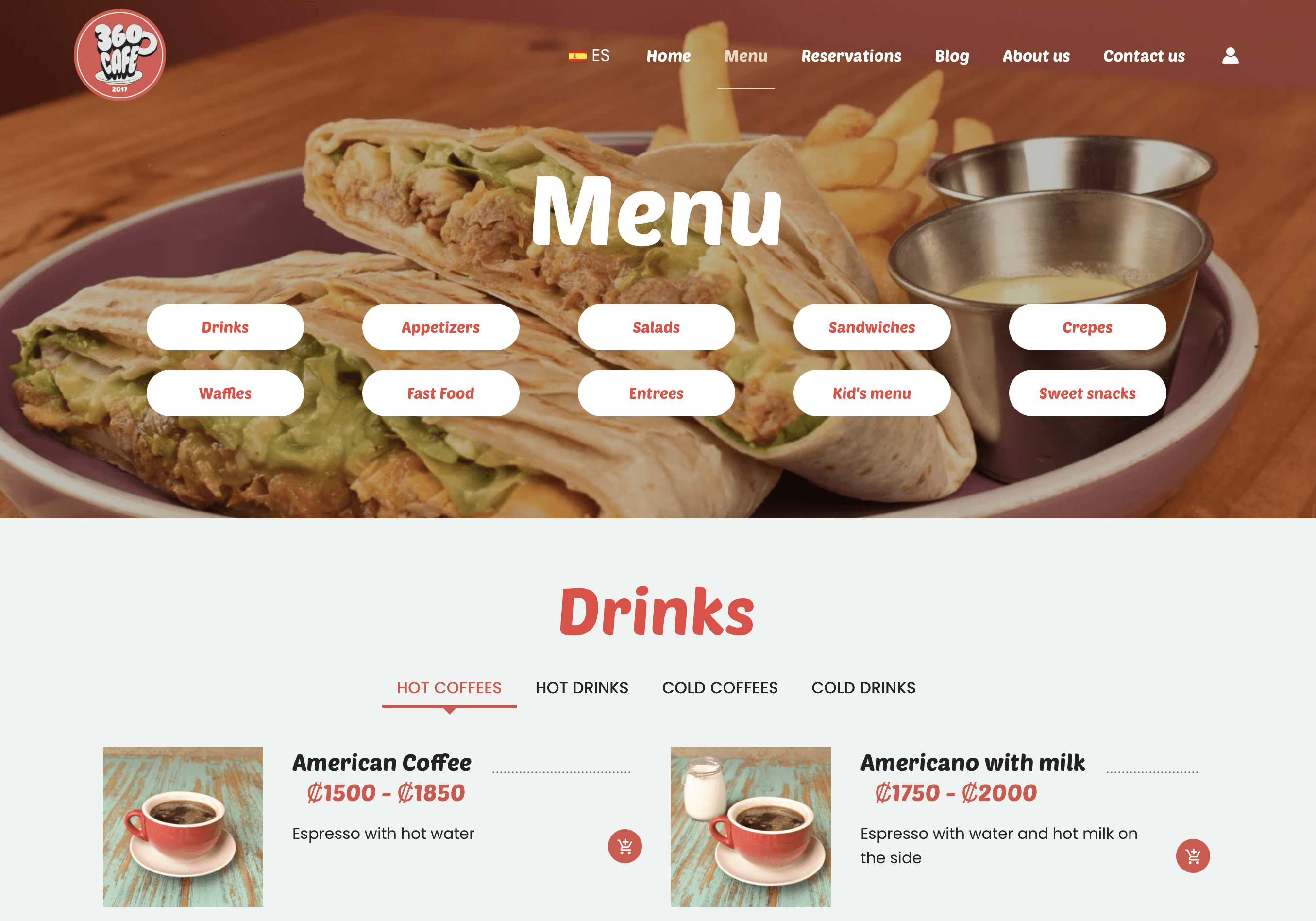
Menu page 360 Café Website. Image by author
Many designers use website templates in their work, especially in the culinary industry, where speed is crucial. Restaurants move quickly with seasonal menu updates, holiday specials, pop-ups, and chef collaborations. Templates allow for quick launches and easy updates. Additionally, a well-designed template strategically places calls to action—like a host guiding guests smoothly from the door to their table. These might include reservation options, online ordering, calling, joining the waitlist, or booking catering.
Choosing the website platform
Website templates vary depending on the platform they are built for. Choosing the right platform is one of the first decisions we make when developing a website, typically based on the desired level of customization. In other words, how much flexibility do we have to deviate from the proposed standard template?
In the culinary industry, customization is key. Every restaurant owner will emphasize how their establishment, menu, and atmosphere stand out from competitors. Therefore, their websites should stand out too. Two restaurants can use the same template, but in a highly customizable platform, their websites could look entirely different.
Platforms like Wix are useful for quick, basic websites if you don’t plan to stray too far from the mainstream. But many restaurant owners eventually face a problem: the site starts to look like a generic template that everyone else uses, making it difficult to create a truly on-brand look without compromises.
High customization in restaurant websites means standing out visually by avoiding a generic look. Low customization can lead to layouts that don’t meet business needs and goals. Additionally, customization improves typography, spacing, subtle animations, and overall sophistication, signaling care and elevating the perceived premium experience. Yes, it’s more work, but it’s worth it.
Framer
My favorite platform for web development is Framer. It’s a modern website-building tool that combines design features and web publishing, allowing you to create visually appealing, responsive websites without coding. It provides strong layout control, animations, and smooth interactions to give a premium, professional look—important for brand perception.
Framer is especially useful for culinary websites because they heavily rely on visual storytelling and brand personality. These sites require frequent updates to show the current menu or upcoming events and need to function well on mobile devices as well as landline computers. In other words, only a highly customized environment can provide all of that.
I recently developed “Foodsite” - a restaurant website template (available for purchase here). While Foodsite offers a standard textual menu, you can easily skip scrolling and adjust the categories, navigation, and photography layout. This allows us to provide the client and customers exactly what they need. Read more about “Foodsite” by clicking the button below.
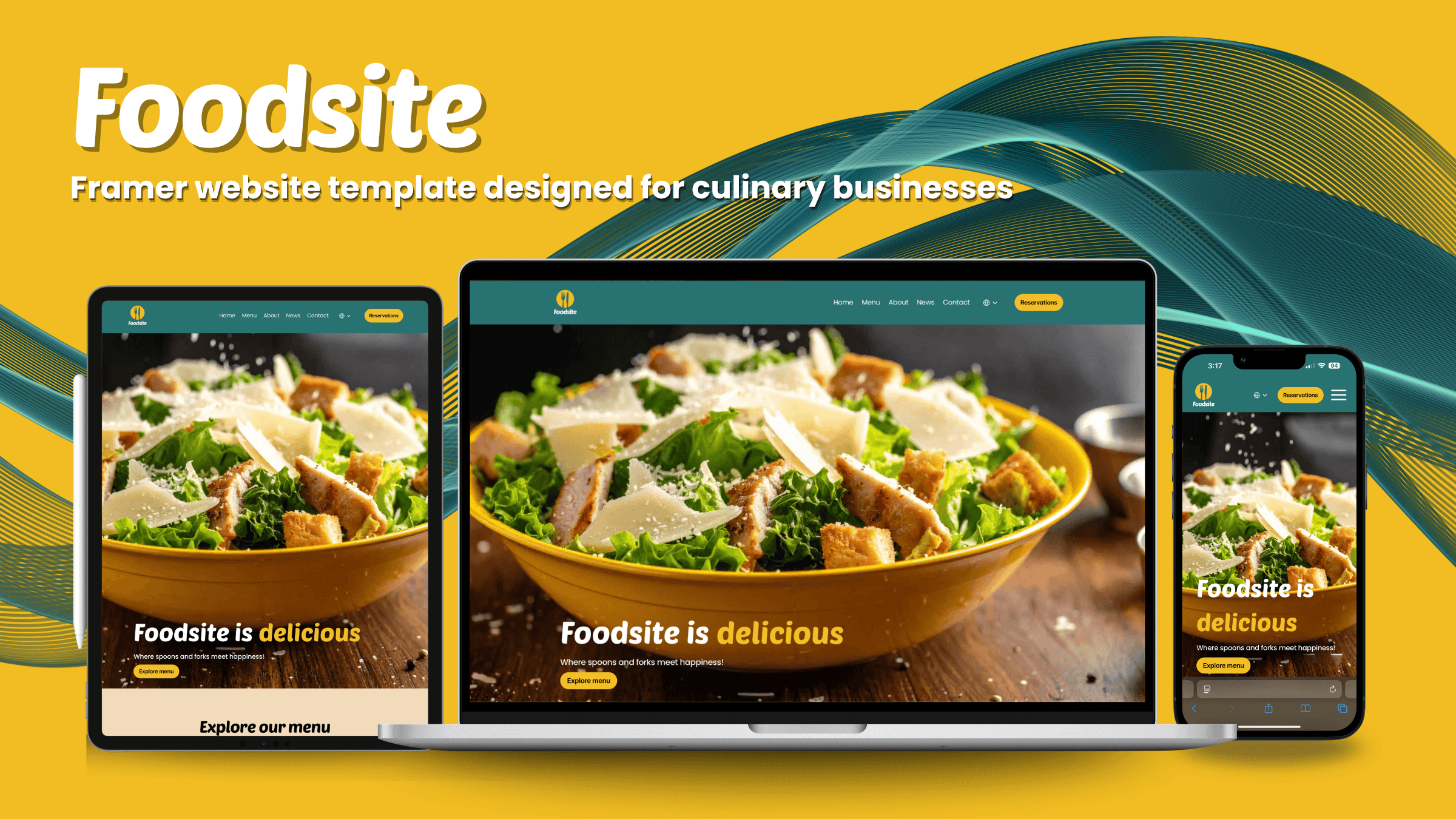
Foodsite website template. Image by the author
I want to use a website template – where do I start?
It’s quite easy. Let’s walk through this process – step by step.
Choose a template
Digital product marketplaces like Gumroad and The Creative Market offer a wide selection of templates for purchase. Find the exact template that meets your client’s needs. For example, a cafeteria theme features warm and inviting designs, while a street food restaurant has bolder, high-contrast visuals. Take your time during this step; choosing the right match is often key to success.
Replace all generic content
To fully customize a template, the most important upgrade is adding authentic content. Start by removing all existing visual and written elements. Then, insert the brand’s content, including the logo, images, colors, and fonts. Framer makes this process easy with just a few clicks.
Keep your menu scannable
The menu section is one of the most important ones, and hopefully you chose a template that offers multiple options to choose from. Take some time to think about the desired display – categories, dynamic scroll, photography-led, diet restrictions-driven – there are many options available. Consider what best suits your client, and don’t hesitate to try a few options until you find the right one.
Make action buttons impossible to miss
Your key actions, such as "Reserve a Table," "Order Online," "Call," "Get Directions," or "Book Catering," should be clearly visible. Consider a template that helps customers find what they need in less than a second.
Write as you speak to guests
You're almost there. Now that you've arranged the display, logos, and photos, the only thing left is writing the content. Here, the ball is in your court. I recommend using simple language and including friendly messages like “Walk-ins welcome” or “Happy hour daily 4–6.” Try not to copy the restaurant menu into the template; instead, create a separate set of content that fits the online environment.
Conclusion
Building a restaurant website no longer requires months of development or a large technical budget. With the right template and a highly customizable platform, you can launch a professional, on-brand website that genuinely reflects what makes the restaurant unique — quickly and confidently. The five steps outlined in this guide form a practical roadmap, with almost no technical background.
Good luck, and don’t forget to send me links and recommendations for some good templates you use. Stay tuned next week for a brand new blog exploring the power of humor in food photography and design!
Share this post



Design Strategy
Apr 25, 2026
When One Size Fails: Strategies for Designing Digital Products for Targeted Groups
Designing for everyone often serves no one. Effective digital products come from content, interactions, and strategy tailored to a specific audience. These should match their needs, context, and behaviors.
Digital Strategy
Apr 18, 2026
Labels, Warnings, and Other UX Landmines (and How to Design Them Well)
Mandatory information like fine print, disclosures, and warnings appear throughout digital experiences as required by legal teams. The issue isn't their presence but how they're handled. Top products don't just seem compliant; they present this information clearly.

Digital Strategy
Apr 10, 2026
Social Media vs. Your Own Website - Where to invest?
Every small business owner faces the same question: invest in social media or build a dedicated website? The answer depends on what your business needs most. This post breaks down the strengths, limitations, and ideal use cases for each so you can make a smarter, more strategic choice.